


Zero to Patch: A Practical Patch Management Checklist
A practical, step-by-step patch management checklist for small and medium teams: inventory, prioritize, test, automate, and verify to reduce vulnerability exposure and speed remediation.

Beyond CVSS: Contextual Vulnerability Prioritization
Beyond CVSS: Contextual Vulnerability Prioritization Introduction CVSS is a useful baseline for understanding vulnerability severity, but it’s only part of the story. True prioritization needs context: exploit availability, asset criticality, network exposure, business impact, and compensating controls. This article lays out a practical framework you can apply today to make triage decisions faster and more defensible. 1) Collect and enrich vulnerability telemetry Start with vulnerability feeds (NVD, vendor advisories, and KEV lists). Enrich findings with telemetry: whether an exploit exists, whether public PoC is circulating, whether the asset is externally reachable, and if any IDS/WAF signatures already exist. This enrichment moves you from raw CVSS to a prioritized action list. 2) Asset context and business impact Score assets on criticality:

Working From Home: Essential Security Tips for All Remote Workers
In today’s interconnected world, remote work has become a norm for many professionals. While it offers numerous benefits such as flexibility and improved work-life balance, it also comes with its share of risks. Securing your home office environment is not just a technical necessity; it’s a crucial aspect of maintaining the integrity and confidentiality of your work. Working from home exposes both individuals and organizations to a variety of cyber threats. These include phishing attacks, unsecured networks, malware, and unauthorized access to sensitive data. Understanding these potential threats and implementing robust security measures are essential to protect both personal and professional information. Following the guidelines in this article, whether you’re a non-techy user in marketing, legal, human resources, or finance,

Port Scanning with Python, Bash, and PowerShell
Network scanning is a fundamental process in cybersecurity, allowing security professionals to identify open ports, services, and potential vulnerabilities within a network. It is an essential step in both defensive and offensive security operations, enabling organizations to assess their attack surface and identify potential weaknesses before malicious actors can exploit them. Among the most widely used tools for this purpose is NMAP, a robust and versatile network scanner that has been an industry standard for years due to its ability to perform comprehensive scans and service identification. However, in certain scenarios, there is a need for more lightweight or customizable solutions that allow for targeted scanning with minimal overhead. This is where scripting languages like Python, Bash, and PowerShell come

Set Up a Successful Bug Bounty Team
In today’s digital age, cybersecurity is more crucial than ever. A bug bounty program is an innovative approach where organizations invite ethical hackers to identify and report security vulnerabilities in their software, applications, and systems. This not only helps in fortifying defenses but also encourages a culture of continuous improvement and vigilance. Having a dedicated bug bounty team is essential for efficiently managing and executing these programs. A specialized team ensures that the process of identifying, documenting, and resolving security issues is streamlined and effective. It also brings together diverse skill sets and expertise, fostering a collaborative environment where members can learn from each other and stay ahead of emerging threats. The purpose of this article is to guide you

Enhancing DevOps Security: Strategies for Securing CI/CD Pipelines
Enhancing DevOps Security: Strategies for Securing CI/CD Pipelines Introduction DevOps has revolutionized the software development process, enabling organizations to deliver high-quality software at a faster pace. However, with the increasing adoption of DevOps, the need for robust security measures has become more critical. CI/CD pipelines, which are the backbone of DevOps, are particularly vulnerable to cyber threats. In this article, we will discuss strategies for securing CI/CD pipelines and enhancing DevOps security. Key Takeaways: – DevOps has become a popular approach for software development, but it also brings new security challenges.– CI/CD pipelines are crucial for DevOps, but they are vulnerable to cyber threats.– Securing CI/CD pipelines is essential for enhancing DevOps security.– There are various strategies that organizations can

Step-by-Step Guide to Installing and Configuring Velociraptor for Digital Forensics and Incident Response
Introduction A how-to guide for installing and configuring Velociraptor, a tool used in digital forensics and incident response (DFIR), can be quite technical. Here’s a step-by-step guide to help you set up Velociraptor in a typical environment. This guide assumes a basic understanding of systems administration and network security, which should align well with your background in information technology and cybersecurity. Prerequisites Operating System: Velociraptor can be run on Windows, Linux, or macOS. Ensure your system meets the requirements. Permissions : Administrative rights may be required for installation and configuration. Network : Ensure proper network configurations for communication between the Velociraptor server and clients. Installation Server Installation Download Velociraptor: Visit the Velociraptor releases page and download the latest release suitable

Understanding DevSecOps: An In-Depth Guide to Integrating Security in DevSecOps Practices
Integrating Security into DevOps: The Critical Role of DevSecOps Key Takeaways: Understanding DevSecOps: Merging development, security, and operations for enhanced cybersecurity. Benefits of DevSecOps: Streamlined processes, improved security, and accelerated development cycles. Implementing DevSecOps: Key strategies and tools for successful integration. What is DevSecOps? In an era where digital transformation is paramount, the concept of DevSecOps has emerged as a crucial aspect of cybersecurity. DevSecOps, a portmanteau of development, security, and operations, represents an evolutionary step in the world of software development and IT operations. By integrating security measures into the DevOps process, DevSecOps aims to ensure continuous delivery of high-quality and secure software products. At Dominion Cyber Security Solutions, we recognize the significance of DevSecOps in safeguarding personal and

A Deep Dive Into APT34 (OilRig): Discovering Iranian Hackers
Introduction In today’s digitally interconnected world, understanding the dynamics of cybersecurity threats is crucial. Among these threats, Advanced Persistent Threat 34 (APT34), also known as OilRig, stands out as a sophisticated and covert menace. This blog post delves into the world of APT34, unraveling its complexities and implications for global cybersecurity. As businesses and governments grapple with increasing cyber threats, comprehending the nature of APT34 is not just about enhancing security but also about preparing for the evolving landscape of cyber warfare. What is Advanced Persistent Threat 34? Advanced Persistent Threat 34, commonly referred to as APT34 or OilRig, is a cyber espionage group known for its sophisticated hacking techniques and targeted attacks. Believed to be state-sponsored, APT34 focuses on
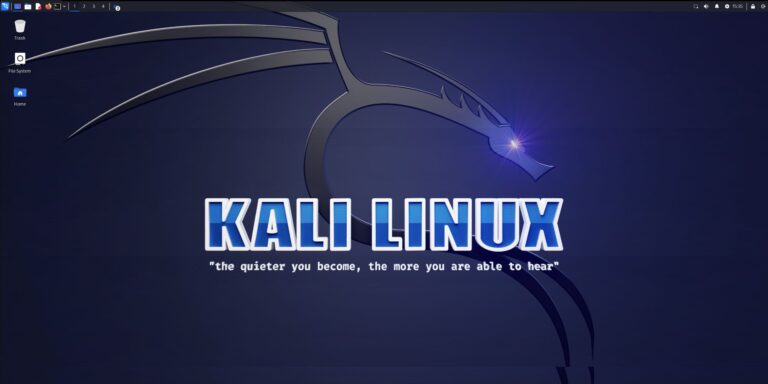
Installing the Kali Linux VM: Enhance Your Cybersecurity Skills With VMware Workstation.
Introduction The easiest way to install Kali is on a VM. The first thing that you want to do so go to the Offensive Security website and download the Kali VM for either a VMware workstation or Virtual Box. Installing Kali on a VM allows you to be more flexible with your installation by providing snapshots. Snapshots allow you to roll backward if necessary and ensure that your installation is behind Network Access Translation (NAT). This separates your attack box from your production network. Go here: https://www.kali.org/get-kali/#kali-platfInstroductiorms Download Kali As soon as you get to the Kali Web page, click the download button. Choose Your Installation Type We want to download the virtual machine version of Kali. So go ahead